
Android Auto

Disclaimer: Links on this page pointing to Amazon, eBay and other sites may include affiliate code. If you click them and make a purchase, we may earn a small commission.
Jack W

Member
Joined
Dec 30, 2021
Posts
92
Reaction score
31
Location
Texas
Ram Year
2005 2017
Engine
Hemi 5.7
I bought the radio that Buckeyexx had for sale. It's Android Auto capable.
Now,
Can someone explain to the Village Idiot how to:
Install
and
Use
Android Auto?
 

turkeybird56

Military Vet 1976-1996 Retired US Army
Air Force Army Law Enforcement
Joined
Aug 2, 2018
Posts
25,599
Reaction score
56,237
Location
Central Texas
Ram Year
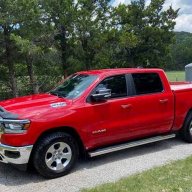
2019 Bighorn, 4 X 4, 3.21 rear, Bright Flame Red Pearl Coat, Mopar tonneau cover,Westin Bed rug
Engine
Hemi 5.7
AS FAR as actually installing the head unit into your vehicle, now THAT I cannot help U on. I have a 5th Gen RAM and I DO NOT PLAY with Audio systems, but there are a lot of people on this forum that are stupid smart on this stuff. You are going to have to provide a lot more info for someone to help U on install:

What year truck, trim level, basic bezel look, what "level" radio is it replacing, whether the cables present are compatible to the "new" head unit, or are you going to need extra harness wiring, etc.

_AFTER RADIO INSTALLED IN YOUR RIDE:______________________________________________________________________________________
You "PAIR" your Android capable phone to your radio, like in pairing via Bluetooth. Then once paired, you can use a lot of stuff on your phone via your U Connect. BUT do not ask me to get specific, as I have an I Phone and use Apple Car Play. (I only have google/android) on my TV.

Nothing to install ref radio, all software to "run" an Android phone should already be part of software in radio OS.
 
OP
OP
J

Jack W

Member
Joined
Dec 30, 2021
Posts
92
Reaction score
31
Location
Texas
Ram Year
2005 2017
Engine
Hemi 5.7
Got the radio install. I don't know how to add the app to the radio.
 

SitKneelBend

Moderator
Staff member
Member Relations Specialist
Moderator Supporting Member Marine Corps
Joined
Jan 8, 2015
Posts
10,942
Reaction score
7,612
Location
St. Louis
Ram Year
2014
Engine
3.6 Pentastar
and then, the radio automatically picks it up?
Yes on screen instructions will appear BUT the USB must be plugged into the center console USB for AA to work. Additionally, some versions of Android have AA baked in and you won't see the app on your phone. Instead you have to search for "Android Auto" in the settings search bar.
 
Back
Top