Part one
1. Start your engine and let it idle, plug in your T1000 and wait for it to boot up and go to the main screen.
2. Select the "Logging" tab, select "Create A New Log",
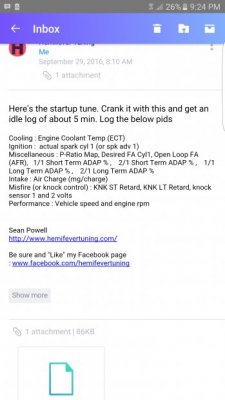
3. Select Edit and Add a new gauge. Add in the pids (gauges) listed above. If you choose small layout pids, after you get 4 on a page, add a new page then add more pids.
4. Select "RECORD", select "Record A New Log", at this time you need to perform the specified driving requirements listed above.
5. When you have completed the driving requirements you will select "STOP" in the recording session, then select to save the log and name it (I suggest something like LOG_# for future logs).
6. You can then play back the log and then exit. It will ask if you want to save the layout and you can do so and give it a name.
7. Exit your T1000 to the main page, turn off your engine, unplug your tuner, and transport your device to your computer.
Part two
1. After you have downloaded the Data Viewer software from DiabloSport's web site you should connect your T1000 to your computer via a standard USB to mini USB cable and wait for the tuner to boot up.
2. Plug the tuner up to your pc and let it get recognized.
3. Now open your Data Viewer program, (on version 3.3) close the compatibility popup to see the middle of the screen that says "Acquiring Tool Information...", your tuner will say "This Tool Is Under Remote Control...", after its finished connecting the screen will say "No Connected Vehicle".
4. After they are connected you will be able to select "File", "Download Log Data", a popup will say "Download a Log File for Playback?" select Yes, another popup will let you highlight and chose your saved Log you named on your T1000, hit Yes.
5. It will then extract the log data from your tuner, after it's finished your "PID's" tab will be fully expanded and ready for activation on the left hand side of the page. Now select the specified trending points given to you by your custom tune programmer. Select the pids in the log file that I listed.
6. After you've activated the specified additional trend points in your log data, select "File", "Save as", save the file somewhere accessible like your desktop, close the program and unplug your tuner.
7. Now you can attach it to an E-mail, done.