
2014 Big Horn 8.4 RA3 Radio Removal Instructions

Disclaimer: Links on this page pointing to Amazon, eBay and other sites may include affiliate code. If you click them and make a purchase, we may earn a small commission.

troutspinner

Senior Member
Joined
Sep 9, 2014
Posts
1,263
Reaction score
446
Location
Gilbertsville, Pa
Ram Year
2026 Rebel G/T
Engine
Hurricane
My approach for adding amps to my standard 6 speaker system with the 8.4/RA3 radio is to tap into the wires off of the harness at the back of the radio. I could grab those signals from kick panels and such but I think it is a cleaner method and I can run my signal wires right down the center of the cab to my amps.

Removing the radio however is kind of an unknown as I could not find anything on the net for removing a 8.4/RA3 radio in a Big Horn. There are some for other models but not with a middle console…..so, I decided I would delve in and then share what I found.

First and foremost, disconnect the battery!

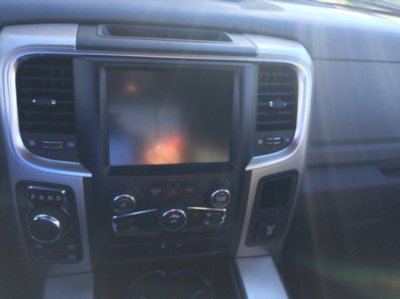
Here is a photo of the dash configuration I am working on.

attachment.php


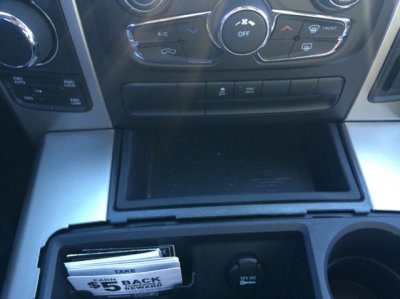
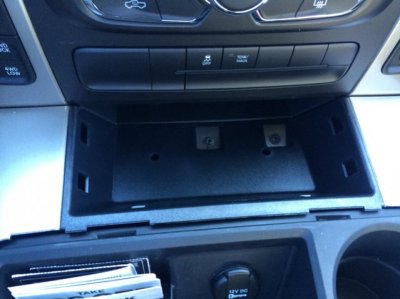
At the top where it say RAM, remove the rubber beauty plate with just your finger nails to reveal the two T20 Torx screws you will remove.

attachment.php


attachment.php


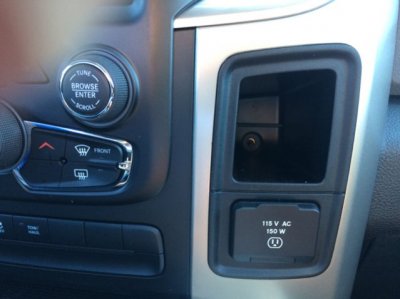
Remove the rubber beauty plate from the cubby hole above the AC outlet to reveal the one (1) T20 you will remove.

attachment.php


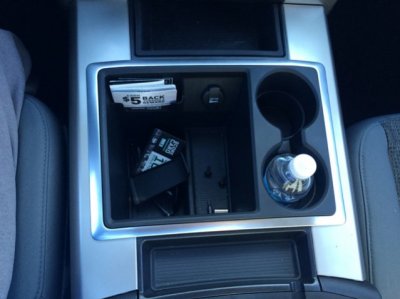
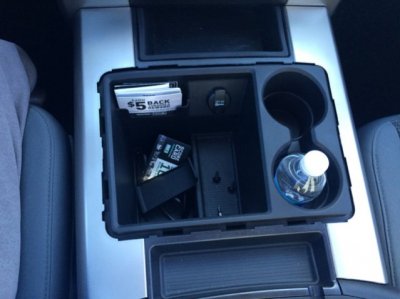
Remove the rubber beauty plate from the console to reveal two (2) phillips head screws you will remove.

attachment.php


bezelandconsole.jpg

toprubber.jpg

topt20.jpg

bottomt20.jpg

bottomrubber.jpg
 
Last edited:
OP
OP
T

troutspinner

Senior Member
Joined
Sep 9, 2014
Posts
1,263
Reaction score
446
Location
Gilbertsville, Pa
Ram Year
2026 Rebel G/T
Engine
Hurricane
attachment.php


Remove the ring around the well on the console by prying it off. It is best to use plastic prying tools and be careful not to bend it too much, the plastic could crack.

attachment.php


Ring Removed

attachment.php


Remove the console just like you did the ring by prying it off.

attachment.php


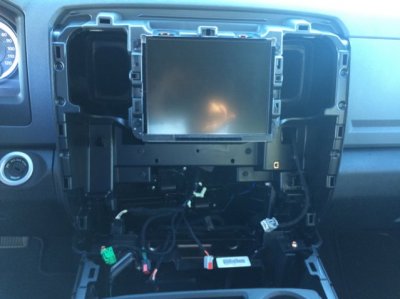
Pull off the dash bezel and unplug all of the wires. All but one is a simple push in tab and pull out. The 2/4 wheel drive selector however is a slide clip, slide it up and then the plug comes right out.

Here is a pic with the bezel removed.

attachment.php


botrubremoved.jpg

ring.jpg

ringremoved.jpg

consoleremoved.jpg

bezeloff.jpg
 
Last edited:
OP
OP
T

troutspinner

Senior Member
Joined
Sep 9, 2014
Posts
1,263
Reaction score
446
Location
Gilbertsville, Pa
Ram Year
2026 Rebel G/T
Engine
Hurricane
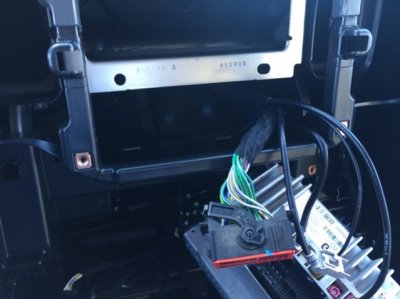
Unscrew the four (4) 7mm screws holding the radio on and pull the radio out to reveal the plugs.

attachment.php


Push in and rotate the connector arm on the main harness to disconnect. The rest of the plugs should be self explanatory.

attachment.php


There you have it. When you are finished doing whatever you are doing, like adding a backup camera or tapping into speaker wires like I am, put everything back in reverse order.

troutspinner

radioout.jpg

harness.jpg
 

aqualite75

Member
Joined
Aug 10, 2014
Posts
40
Reaction score
2
Location
Middle Tennessee
Ram Year
2014
Engine
Hemi 5.7
Oh this is great! I have been needing to see what the climate harness looks like for the 8.4 systems. I'll likely PM you when I get in later.
 

badger5828

Member
Joined
Jul 15, 2015
Posts
45
Reaction score
0
Location
Binghamton, NY
Ram Year
2015 Ram 1500 Sport CC
Engine
Hemi 5.7
I'm having trouble getting the main harness to the radio detached. It says push in and rotate above, but I'm having no luck. Can anyone help?
 

GYSOT

Senior Member
Joined
Sep 12, 2015
Posts
712
Reaction score
157
Ram Year
2014 Ram 1500
Engine
5.7 Hemi
What other screws hold the center console in place?
 

Ravi

Junior Member
Joined
May 14, 2019
Posts
1
Reaction score
0
Location
Colorado
Ram Year
2014
Engine
3.6
I have a 2014 ram 1500 bighorn and this was really helpful.
 
Back
Top