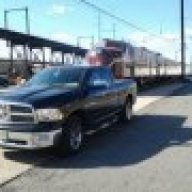
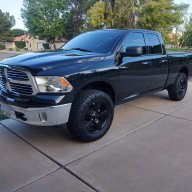
Xyleff
Senior Member
How do i program the keyfob to unlock all 4 doors at once in one push?? I’m having to do it twice. First for the driver, and second for the rest. It’s for a 2014 ram 1500.
Disclaimer: Links on this page pointing to Amazon, eBay and other sites may include affiliate code. If you click them and make a purchase, we may earn a small commission.
Thank you very much!!If you have the 5 or 8.4 radio it can be set from the settings in the radio.
If you have the 3.5 or don't have the 8.4, yIt should be able to be changed in your EVIC settings menu.
this is from my owners manual
Personal Settings (Customer-Programmable
Features)
For vehicles equipped a 3.5” EVIC screen
Personal Settings allows the driver to set and recall
features when the transmission is in PARK.
Press and release the UP and DOWN button until Personal
Settings displays in the EVIC.
Press and release the SELECT/RIGHT arrow button to
display one of the following choices.
For vehicles equipped with a 7” EVIC screen and not
equipped with a Uconnect® 8.4 radio.
Personal Settings allows the driver to set and recall
features when the transmission is in PARK.
Use the UP or DOWN button until Personal Settings
displays in the EVIC.
Remote Unlock Sequence
When Unlock Driver Door Only On 1st Press is selected,
only the driver’s door will unlock on the first press of the
RKE transmitter UNLOCK button. When Driver Door 1st
Press is selected, you must press the RKE transmitter
UNLOCK button twice to unlock the passenger’s doors.
When Unlock All Doors On 1st Press is selected, all of
the doors will unlock on the first press of the RKE
transmitter UNLOCK button. To make your selection,
scroll up or down until the preferred setting is highlighted,
then press and release the SELECT button until a
check-mark appears next to the setting, showing that the
setting has been selected.
This is the most complete answer I have ever seenIf you have the 5 or 8.4 radio it can be set from the settings in the radio.
If you have the 3.5 or don't have the 8.4, yIt should be able to be changed in your EVIC settings menu.
this is from my owners manual
Personal Settings (Customer-Programmable
Features)
For vehicles equipped a 3.5” EVIC screen
Personal Settings allows the driver to set and recall
features when the transmission is in PARK.
Press and release the UP and DOWN button until Personal
Settings displays in the EVIC.
Press and release the SELECT/RIGHT arrow button to
display one of the following choices.
For vehicles equipped with a 7” EVIC screen and not
equipped with a Uconnect® 8.4 radio.
Personal Settings allows the driver to set and recall
features when the transmission is in PARK.
Use the UP or DOWN button until Personal Settings
displays in the EVIC.
Remote Unlock Sequence
When Unlock Driver Door Only On 1st Press is selected,
only the driver’s door will unlock on the first press of the
RKE transmitter UNLOCK button. When Driver Door 1st
Press is selected, you must press the RKE transmitter
UNLOCK button twice to unlock the passenger’s doors.
When Unlock All Doors On 1st Press is selected, all of
the doors will unlock on the first press of the RKE
transmitter UNLOCK button. To make your selection,
scroll up or down until the preferred setting is highlighted,
then press and release the SELECT button until a
check-mark appears next to the setting, showing that the
setting has been selected.