Here U go: @ RICK1201
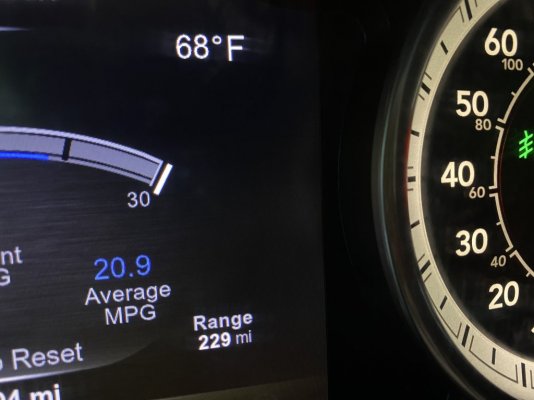
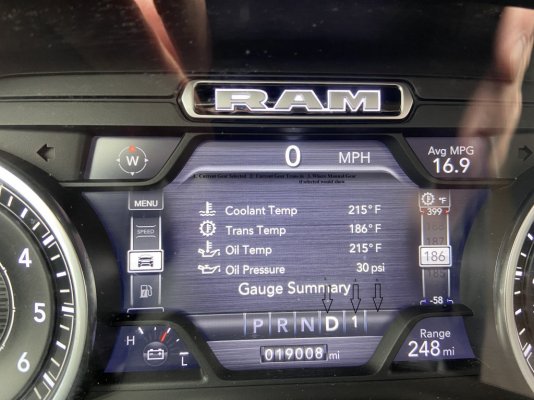
Now I have Premium EVIC, not sure if the same on a Lower Display: (page 169 in My Manual, But I have a 2019 DT Truck) (U have a 22) (PDF too large to load in here) (The gear U R in displays in EVIC to the right of the Gear engaged--- also to the right of the gear display would be the manual mode gear if selected
In your EVIC Display go to:
Screen Setup
NOTE: The Screen Setup feature can only be used while
the vehicle is in PARK.
Push and release the up or down arrow button until the
Screen Setup Menu Icon/Title is highlighted in the instrument
cluster display. Push and release the OK button to
enter the sub-menus and follow the prompts on the screen
as needed. The Screen Setup feature allows you to change
what information is displayed in the instrument cluster as
well as the location that information is displayed.
Screen Setup Driver Selectable Items
Favorite Menus
• Speedometer
• Vehicle Info
• Driver Assist (show/hide) – If Equipped
• Fuel Economy (show/hide)
• Trip Info (show/hide)
• Stop/Start
• Trailer Tow (show/hide)
• Audio (show/hide)
• (Stored) Messages
• Screen Setup
Current Gear
• Off (Default)
• On
Odometer
• No Decimal Point (Default)
• Decimal Point
Defaults
• Cancel
• Restore






 ,
,