

RA2 Upgrade - Anti-theft lockout? Or something else?

Disclaimer: Links on this page pointing to Amazon, eBay and other sites may include affiliate code. If you click them and make a purchase, we may earn a small commission.

Escotch

Junior Member
Joined
Mar 3, 2020
Posts
19
Reaction score
11
Location
Pinon Hills, CA
Ram Year
2014
Engine
3.6
Hi all,

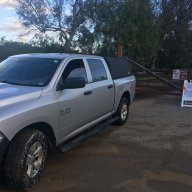
I’ve been working on adding a backup camera to our newly acquired 2014 Tradesman per wifey’s request. This is the nicest vehicle I’ve ever owned and wanted to keep it looking clean and stock on the inside so I found an RA2 on the forum and ordered an OEM backup kit.

Installation of the kit was tedious but I’m pretty sure I did it right. I worked slowly and followed posts and guidance here on the forum.

When it came to installing the RA2, I didn’t realize I would need more than the VIN to obtain the security code so things went like this:
1. Install RA2, reconnect battery, turn on the ignition
2. Radio requests code - shoot, don’t have that.
3. Turned ignition off, pulled out radio to get relevant numbers, input into site referred by the seller and wait for code.
4. 15 minutes later I have the code in hand, turn the ignition on, and....the radio doesn’t ask for the code?

I figured, “Hmm...maybe that is just an easy work around for not entering a code?” but then I realized that while the radio turned on and I could navigate the screens the volume knob would not adjust beyond 0-1 and there was no sound.

Crap - did I just lock this thing out by not entering the code on first startup?

Then I cycled the ignition a couple times and boom - it was working! My joy was short lived though because when I came out the next day the volume was back to 0-1 and would not adjust. After 2 days of no sound I have pulled out the RA2 and put back the RA1. RA1 works with no issues.

So, did I “lock-out” this RA2? Is there a way to fix that? Or is something else wrong?

Also, I was optimistic that the backup camera would display without a dealer flash since the RA2 came out of a backup equipped truck - this has not been the case. Is that typical?

I appreciate any input you may have.
Thanks,
Scott

 

SitKneelBend

Moderator
Staff member
Member Relations Specialist
Moderator Supporting Member Marine Corps
Joined
Jan 8, 2015
Posts
10,956
Reaction score
7,630
Location
St. Louis
Ram Year
2014
Engine
3.6 Pentastar
Hi all,

I’ve been working on adding a backup camera to our newly acquired 2014 Tradesman per wifey’s request. This is the nicest vehicle I’ve ever owned and wanted to keep it looking clean and stock on the inside so I found an RA2 on the forum and ordered an OEM backup kit.

Installation of the kit was tedious but I’m pretty sure I did it right. I worked slowly and followed posts and guidance here on the forum.

When it came to installing the RA2, I didn’t realize I would need more than the VIN to obtain the security code so things went like this:
1. Install RA2, reconnect battery, turn on the ignition
2. Radio requests code - shoot, don’t have that.
3. Turned ignition off, pulled out radio to get relevant numbers, input into site referred by the seller and wait for code.
4. 15 minutes later I have the code in hand, turn the ignition on, and....the radio doesn’t ask for the code?

I figured, “Hmm...maybe that is just an easy work around for not entering a code?” but then I realized that while the radio turned on and I could navigate the screens the volume knob would not adjust beyond 0-1 and there was no sound.

Crap - did I just lock this thing out by not entering the code on first startup?

Then I cycled the ignition a couple times and boom - it was working! My joy was short lived though because when I came out the next day the volume was back to 0-1 and would not adjust. After 2 days of no sound I have pulled out the RA2 and put back the RA1. RA1 works with no issues.

So, did I “lock-out” this RA2? Is there a way to fix that? Or is something else wrong?

Also, I was optimistic that the backup camera would display without a dealer flash since the RA2 came out of a backup equipped truck - this has not been the case. Is that typical?

I appreciate any input you may have.
Thanks,
Scott
If you have a friend with a Ram you can plug it in there and get it to prompt for the code again.

Sent from my HTC U11 using Tapatalk
 
OP
OP
Escotch

Escotch

Junior Member
Joined
Mar 3, 2020
Posts
19
Reaction score
11
Location
Pinon Hills, CA
Ram Year
2014
Engine
3.6
Great suggestion SitKneelBend! Unfortunately all my family/friends that would be up for that have Toyotas :blah:

Any other ways to wipe its memory of this horrific experience? Can anyone confirm that the volume control issue indicates a lock out?
 

Ricks Ram

Senior Member
Joined
May 1, 2015
Posts
4,411
Reaction score
3,415
Ram Year
2014
Engine
Hemi 5.7
Hi all,

I’ve been working on adding a backup camera to our newly acquired 2014 Tradesman per wifey’s request. This is the nicest vehicle I’ve ever owned and wanted to keep it looking clean and stock on the inside so I found an RA2 on the forum and ordered an OEM backup kit.

Installation of the kit was tedious but I’m pretty sure I did it right. I worked slowly and followed posts and guidance here on the forum.

When it came to installing the RA2, I didn’t realize I would need more than the VIN to obtain the security code so things went like this:
1. Install RA2, reconnect battery, turn on the ignition
2. Radio requests code - shoot, don’t have that.
3. Turned ignition off, pulled out radio to get relevant numbers, input into site referred by the seller and wait for code.
4. 15 minutes later I have the code in hand, turn the ignition on, and....the radio doesn’t ask for the code?

I figured, “Hmm...maybe that is just an easy work around for not entering a code?” but then I realized that while the radio turned on and I could navigate the screens the volume knob would not adjust beyond 0-1 and there was no sound.

Crap - did I just lock this thing out by not entering the code on first startup?

Then I cycled the ignition a couple times and boom - it was working! My joy was short lived though because when I came out the next day the volume was back to 0-1 and would not adjust. After 2 days of no sound I have pulled out the RA2 and put back the RA1. RA1 works with no issues.

So, did I “lock-out” this RA2? Is there a way to fix that? Or is something else wrong?

Also, I was optimistic that the backup camera would display without a dealer flash since the RA2 came out of a backup equipped truck - this has not been the case. Is that typical?

I appreciate any input you may have.
Thanks,
Scott

It makes no difference whether or not the radio came out of a truck that had the backup camera option. It's controlled by the BCM of your truck. You will need to have the code enabled by the dealer or purchase the Alfa OBD and do it yourself. Cost is about the same as one trip to the dealer and you can use it to enable pretty much anything you decide to add in the future. They dealer can only enable certain codes in your truck depending on your trim level. The Alfa can enable all the codes in your BCM. As far as the volume issue with the radio I have seen it before when people upgrade to the RA2. It's not uncommon. It has nothing to do with you installing it and then removing it to get the code. These RA2 radios are a little finicky. I reccomend returning the one you bought if you can. The issue with the volume will most likely never correct itself. At least I have never seen one that did. Try to find a radio from a 13 or 14 Ram truck with the same amount of doors your truck has. Preferably a 14. If you have a Crew/Quad Cab get a radio out of a four door truck if you have a regular cab get one out of a two door truck.

Sent from my SM-G960U using Tapatalk
 

chri5k

Senior Member
Supporting Member
Joined
May 24, 2019
Posts
2,170
Reaction score
3,538
Location
USA
Ram Year
2016
Engine
Diesel
The 0 - 1 volume knob failure on RA-2's has been seen before on these forums. I believe it is a defective radio. I have turned on the truck multiple times with a radio from another truck and got the "enter code" screen each time.
 
OP
OP
Escotch

Escotch

Junior Member
Joined
Mar 3, 2020
Posts
19
Reaction score
11
Location
Pinon Hills, CA
Ram Year
2014
Engine
3.6
Thanks for clarifying things Rick! I was worried that it might be an issue with the RA2 unit itself. I guess that’s the good news and the bad news. Bummer.

Was it odd that I was able to bypass the security code by cycling the ignition?

My Obdlink Mx is on the way and I’ve reset an old android phone so I can load AlphaOBD. Seems like a great resource.
 
OP
OP
Escotch

Escotch

Junior Member
Joined
Mar 3, 2020
Posts
19
Reaction score
11
Location
Pinon Hills, CA
Ram Year
2014
Engine
3.6
Just wanted to post the resolution to all this for the record.

Turns out the first RA2 (from 2016 quad cab) was the issue. I found a year match RA2 from LKQ (online dismantler) and it works perfectly. No security code required but I found one with the VIN available just in case. Interestingly, the head units were substantially different. The 2014 RA2 is “deeper” not sure what the tech term is but I would say it is more of a CD player style while the 2016 is only a couple inches deep.

As for my backup camera issue, it was a simple fix. My issue was the blue screen in reverse. I had not correctly populated the 3 wires into the radio harness. I removed the red clip so I could pop the wires out and re populate correctly. And done! RA2 with backup camera and volume control.
 

Ricks Ram

Senior Member
Joined
May 1, 2015
Posts
4,411
Reaction score
3,415
Ram Year
2014
Engine
Hemi 5.7
Just wanted to post the resolution to all this for the record.

Turns out the first RA2 (from 2016 quad cab) was the issue. I found a year match RA2 from LKQ (online dismantler) and it works perfectly. No security code required but I found one with the VIN available just in case. Interestingly, the head units were substantially different. The 2014 RA2 is “deeper” not sure what the tech term is but I would say it is more of a CD player style while the 2016 is only a couple inches deep.

As for my backup camera issue, it was a simple fix. My issue was the blue screen in reverse. I had not correctly populated the 3 wires into the radio harness. I removed the red clip so I could pop the wires out and re populate correctly. And done! RA2 with backup camera and volume control.
Glad to hear you got it figured out. The early RA2 radios were much deeper and actually slide into the metal slot in the dash. I think they changed it 2015 or so to the flat design. Usually putting the correct year with the RA2 will give you the best results. It's actually a pretty good little radio and the bluetooth works well. Not sure if you have done it yet but you can easily change out your left side steering wheel switch to the voice command/phone switch so you have more control over the radio and can use it the way is was designed. There are no codes or additional wiring required. It's just a plug and play upgrade. You can also put the audio controls into the back of the steering wheel so you can change the volume channels ect without touching the radio. There are no codes required for this either. You can buy a kit with the correct steering wheel harness switches and back cover or you can find a 13 to 18 leather steering wheel on Ebay or a wrecking yard the has the voice command and audio controls for around $200 dollars and just install it in your truck and it will all work plug and play.

Sent from my SM-G960U using Tapatalk
 
OP
OP
Escotch

Escotch

Junior Member
Joined
Mar 3, 2020
Posts
19
Reaction score
11
Location
Pinon Hills, CA
Ram Year
2014
Engine
3.6
Glad to hear you got it figured out. The early RA2 radios were much deeper and actually slide into the metal slot in the dash. I think they changed it 2015 or so to the flat design. Usually putting the correct year with the RA2 will give you the best results. It's actually a pretty good little radio and the bluetooth works well. Not sure if you have done it yet but you can easily change out your left side steering wheel switch to the voice command/phone switch so you have more control over the radio and can use it the way is was designed. There are no codes or additional wiring required. It's just a plug and play upgrade. You can also put the audio controls into the back of the steering wheel so you can change the volume channels ect without touching the radio. There are no codes required for this either. You can buy a kit with the correct steering wheel harness switches and back cover or you can find a 13 to 18 leather steering wheel on Ebay or a wrecking yard the has the voice command and audio controls for around $200 dollars and just install it in your truck and it will all work plug and play.

Sent from my SM-G960U using Tapatalk

Thanks for the tips Rick! Leather steering wheel sounds like a nice upgrade. I haven’t made any changes to the controls yet. Very pleased with the RA2 thus far. I know a lot of people opt for the RA3/4 - very cool units but for now I’m happy with keeping it simple.

Initially I hadn’t planned on adding the mic/mirror for Bluetooth calls but now that I’ve gone this far it seems like I might as well.

So thankful to have found this forum. Hard to imagine I could have navigated that radio upgrade/camera install on my own.
 

Ricks Ram

Senior Member
Joined
May 1, 2015
Posts
4,411
Reaction score
3,415
Ram Year
2014
Engine
Hemi 5.7
Thanks for the tips Rick! Leather steering wheel sounds like a nice upgrade. I haven’t made any changes to the controls yet. Very pleased with the RA2 thus far. I know a lot of people opt for the RA3/4 - very cool units but for now I’m happy with keeping it simple.

Initially I hadn’t planned on adding the mic/mirror for Bluetooth calls but now that I’ve gone this far it seems like I might as well.

So thankful to have found this forum. Hard to imagine I could have navigated that radio upgrade/camera install on my own.
The bluetooth will work without adding any codes as well. You would only need the correct mirror harness and mirror. The harness is around $35 and you can pick the mirror used on ebay for around $50. The install is simple.

Sent from my SM-G960U using Tapatalk
 
Back
Top