
alphaobd won't connect 2010 1500

Disclaimer: Links on this page pointing to Amazon, eBay and other sites may include affiliate code. If you click them and make a purchase, we may earn a small commission.

Geawiel

Member
Joined
Apr 20, 2024
Posts
42
Reaction score
39
Location
Spokane Wa
Ram Year
2010
Engine
Hemi 5.7
I've surfed quite a few threads. The only ones I really found that talked about connection issues were for the 5th gen. I bought this connector. I have the software key. I cannot get it to connect. I've tried a few different connector types in the software drop down. I did the firmware update. I tried with the vehicle in on, in run and in just acc. None of them worked. It always timed out and wouldn't connect. I then popped the obd port out, blew on it to make sure it was clean, had an NES flashback, then tried again. Still no dice. Is there something I'm missing? Is the cord the wrong one? I'm unsure what to do next. Has anyone been able to get this to work on the classic?

2010 1500 5.7
 

SitKneelBend

Moderator
Staff member
Member Relations Specialist
Moderator Supporting Member Marine Corps
Joined
Jan 8, 2015
Posts
10,956
Reaction score
7,630
Location
St. Louis
Ram Year
2014
Engine
3.6 Pentastar
I've surfed quite a few threads. The only ones I really found that talked about connection issues were for the 5th gen. I bought this connector. I have the software key. I cannot get it to connect. I've tried a few different connector types in the software drop down. I did the firmware update. I tried with the vehicle in on, in run and in just acc. None of them worked. It always timed out and wouldn't connect. I then popped the obd port out, blew on it to make sure it was clean, had an NES flashback, then tried again. Still no dice. Is there something I'm missing? Is the cord the wrong one? I'm unsure what to do next. Has anyone been able to get this to work on the classic?

2010 1500 5.7
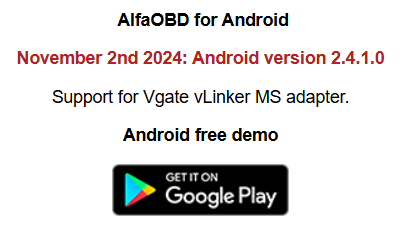
Most use the bluetooth adapters. I'm unfamiliar with any USB ones that are compatible. AlfaOBD now recommends a cheaper adapter (Vlinker MS 15% coupon on Amazon, be sure to click the box if you go this route) then the previous one (OBDLink MX+)

1746223099350.png


GeauxinUp

Senior Member
Navy Badge
Joined
Feb 9, 2025
Posts
724
Reaction score
1,404
Location
Louisiana
Ram Year
2026 Limited
Engine
3.0L TT H.O.
Most use the bluetooth adapters. I'm unfamiliar with any USB ones that are compatible. AlfaOBD now recommends a cheaper adapter (Vlinker MS 15% coupon on Amazon, be sure to click the box if you go this route) then the previous one (OBDLink MX+)

View attachment 565751

According to alfa website, he's using the correct cable. 1746223455808.png
 

SitKneelBend

Moderator
Staff member
Member Relations Specialist
Moderator Supporting Member Marine Corps
Joined
Jan 8, 2015
Posts
10,956
Reaction score
7,630
Location
St. Louis
Ram Year
2014
Engine
3.6 Pentastar
According to alfa website, he's using the correct cable. View attachment 565752
Good point, I guess I'm even more unfamiliar than I thought. My "guess" would be to ensure the drivers are up to date and then ensure the app actually sees the adapter.
 
OP
OP
G

Geawiel

Member
Joined
Apr 20, 2024
Posts
42
Reaction score
39
Location
Spokane Wa
Ram Year
2010
Engine
Hemi 5.7
Good point, I guess I'm even more unfamiliar than I thought. My "guess" would be to ensure the drivers are up to date and then ensure the app actually sees the adapter.
I did the firmware update from the site. I can't find a way to see if the program actually sees the cable.
 

crash68

ACME product engineer
Staff member
Administrator Moderator Supporting Member
Joined
Mar 20, 2016
Posts
12,342
Reaction score
21,458
Ram Year
2015
Engine
3.0 EcoDiesel
It might be the adapter your using, found this on the AlfaOBD site:
The OBDLink LX / SX / CX interfaces require the "blue" adapter to access the middle-speed CAN bus.

It explain a previous paragraph that the OBDLink EX supports the middle-speed CANbus without an adapter. It's only $10 more than the adapter you have.
 

SitKneelBend

Moderator
Staff member
Member Relations Specialist
Moderator Supporting Member Marine Corps
Joined
Jan 8, 2015
Posts
10,956
Reaction score
7,630
Location
St. Louis
Ram Year
2014
Engine
3.6 Pentastar
Good point, I guess I'm even more unfamiliar than I thought. My "guess" would be to ensure the drivers are up to date and then ensure the app actually sees the adapter.
That I'm also unsure of as I don't have the Windows version of AlfaOBD (Which I assume is what you are using?)...
 

RamDiver

Senior Member
Joined
Jan 23, 2022
Posts
5,647
Reaction score
11,903
Location
Marlborough, Ontario Canada
Ram Year
2021 DS
Engine
Hemi 5.7
I'm not really sure what happened, but I got it to work. I'll get to dive into the settings tomorrow.

I use the OBDLink SX without any problems.

One catch, do not start AlfaOBD until after connecting the OBDLink SX adapter to the OBD2 port and the computer first.

If the AlfaOBD app is running first, you will often suffer from a failure to connect.

I'm able to connect to the BCM on my '21 with the ignition in any position including off.

.
 
Last edited:

04fxdwgi

Senior Member
Joined
May 19, 2023
Posts
1,754
Reaction score
3,676
Location
Coastal NE North Carolina
Ram Year
2016 1500 Sport
Engine
5.7 Hemi
99% of the problems I have seen with AlfaOBD are user problems with getting the configuration and sequence correct, or with outdated drivers on the connecting device, like Bluetooth or USB drivers.

The program and the OBD dongle are usually OK, unless someone tries to use a non-bidirectional (cheapo) OBD dongle.
 

Forum statistics

Threads
211,040
Posts
3,061,311
Members
171,095
Latest member
noraa73
Back
Top