
Rican69
Junior Member
I have a 8.4 Uconnect radio and was wondering what I need to do to upgrade to a Nav 8.4 Uconnect? I have Sirius Radio and wifi hotspot options on the 2017 Lone Star. Definitely want to get Apple CarPlay. Any suggestions?


Disclaimer: Links on this page pointing to Amazon, eBay and other sites may include affiliate code. If you click them and make a purchase, we may earn a small commission.
Cool, is my Sirius Antenna good enough or do I need a different one?Swapping is easy. Sirius you just call with the radio id from the new one to swap. Wifi Hotspot might not be as easy because it's tied to the radio and vin I believe. U connect is a pain in the ass to get them to swap features onto a new/used radio. Not sure if a dealer would have better luck with them
2018 2500 6.4L Hemi Tradesman
1990 5.9L 12v Cummins W250
Cool, is my Sirius Antenna good enough or do I need a different one?




Does your factory 2017 8.4 system have Dual Zone ATC (Auto Climate Control)?I have a 8.4 Uconnect radio and was wondering what I need to do to upgrade to a Nav 8.4 Uconnect? I have Sirius Radio and wifi hotspot options on the 2017 Lone Star. Definitely want to get Apple CarPlay. Any suggestions?
yes , i have dual zone control
I do have the ability to add Nav. by simply throwing some money at it in my 2017. I don't, pretty much for reasons stated above.I've never used the Nav on my 8.4 uconnect nav system. Even if I were willing to pay for the updates, they are always behind. Lots of new roads going in constantly in my area. Even a new interstate highway right now. Google maps is always up to date. Also shows you speed traps, accidents, reroutes, speed limits, etc and it's all free on your phone. Plus, with the Ram system, it takes over your entire screen. They really need to do a split screen, like our other vehicles do.
Not a fan of Android Auto either. Messed with it a little, but then disabled it. Again, takes over you whole screen and doesn't offer me anything I want. I can cast blogs/music to the radio via bluetooth and I have XM radio. The built in cell phone holder in the center console works great for displaying Google Maps data.
Not trying to talk you out of anything. Just presenting a different view. Hate to see you go to a lot of work and realize the grass really was not any greener.
I do have the ability to add Nav. by simply throwing some money at it in my 2017. I don't, pretty much for reasons stated above.
Now what is this cell phone holder? Is it something I can Retro into my 2017?
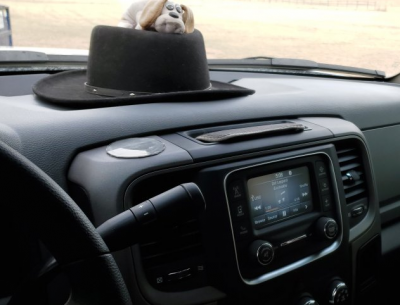

I see what you did. Garmin I believe actually makes a circular plate to attach the suction holders to. Basically what you did with he CD case but I am pretty sure it is thicker and probably smoother.I took a CD case cover (any smooth surface) and cut a circle about 1/8" bigger than the cup when compressed (in hold mode). Used 3M moulding tape to hold it down. Now that I have a spare 7" tablet, this spring going to do it again and have a system monitor up.
View attachment 231586View attachment 231587
I see what you did. Garmin I believe actually makes a circular plate to attach the suction holders to. Basically what you did with he CD case but I am pretty sure it is thicker and probably smoother.
What I was asking about was the "Cell Phone Holder". I want a secure place to put he cell phone and have been avoiding the Weather Tech. cup holder thingy. jeje mentioned a built in cell phone holder.
OK, you have bucket seats and the full length floor console, Right?the trucks like my sport has a console and molded into it is a place to set a couple cell phones in that hold it in place with slots at the bottom for charging cords.
Here's a picture of it. Kind of nice they have the cut outs for the power cords.OK, you have bucket seats and the full length floor console, Right?
I will look for Pics. Probably nothing I can use in my truck.