Rod Plunger
Junior Member
Hi all.
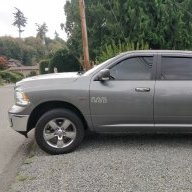
New to the forum, and new to my Ram. Since no good deed goes unpunished I am sorry to report that I have put my 8.4 VP4 from my 2013 1500 Big Horn into a dreaded update loop whilst attempting to upgrade the software. I get to step 11 with the Sierra Wireless Card update and it crashes starting the update all over again. I have tried all the "reset" options I can find (pull power, volume/tune buttons, heat up and down buttons, pull usb at 1%) and nothing is working. As said in other posts, my options would be to replace head unit with an OEM, used or new. Repair existing unit or replace with aftermarket. Or, get my current unit to work somehow again.
I am aware that the Sierra card is faulty which is what is causing the update problem. My GPS was off before I attempted the update and was the whole reason I tried to do the update in the first place.
Does anyone know of a repair company that can replace the Sierra Wireless Card?
Does anyone have a bricked/broken/not working for another reason head unit they will part with that I can pull the PC board out and swap into my head unit?
Has anyone found a way to just get out of the loop that works?
Has anyone ever pulled the Sierra card off the board and replaced it? I have found a "new" card on Ebay that has the correct specs.
My frustration is bounding as I just purchased the used truck (loving it BTW) but would very much like to be able to use it the way Dodge intended.
Any and all help and advice would be greatly appreciated! Thanks!
-R
New to the forum, and new to my Ram. Since no good deed goes unpunished I am sorry to report that I have put my 8.4 VP4 from my 2013 1500 Big Horn into a dreaded update loop whilst attempting to upgrade the software. I get to step 11 with the Sierra Wireless Card update and it crashes starting the update all over again. I have tried all the "reset" options I can find (pull power, volume/tune buttons, heat up and down buttons, pull usb at 1%) and nothing is working. As said in other posts, my options would be to replace head unit with an OEM, used or new. Repair existing unit or replace with aftermarket. Or, get my current unit to work somehow again.
I am aware that the Sierra card is faulty which is what is causing the update problem. My GPS was off before I attempted the update and was the whole reason I tried to do the update in the first place.
Does anyone know of a repair company that can replace the Sierra Wireless Card?
Does anyone have a bricked/broken/not working for another reason head unit they will part with that I can pull the PC board out and swap into my head unit?
Has anyone found a way to just get out of the loop that works?
Has anyone ever pulled the Sierra card off the board and replaced it? I have found a "new" card on Ebay that has the correct specs.
My frustration is bounding as I just purchased the used truck (loving it BTW) but would very much like to be able to use it the way Dodge intended.
Any and all help and advice would be greatly appreciated! Thanks!
-R