AlfaOBD Support For 06~12 Rams

Disclaimer: Links on this page pointing to Amazon, eBay and other sites may include affiliate code. If you click them and make a purchase, we may earn a small commission.

metalchewy

Senior Member
Supporting Member
Joined
Mar 19, 2022
Posts
623
Reaction score
1,362
Location
Las Vegas
Ram Year
2010 TRX4
Engine
4.7L
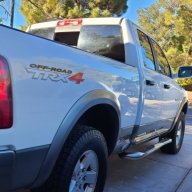
I did. The factory installed LT265/70R17E. I now run LT295/70R18 (not the ones in my avatar photo). I don't recall the menu steps; it was several years ago.
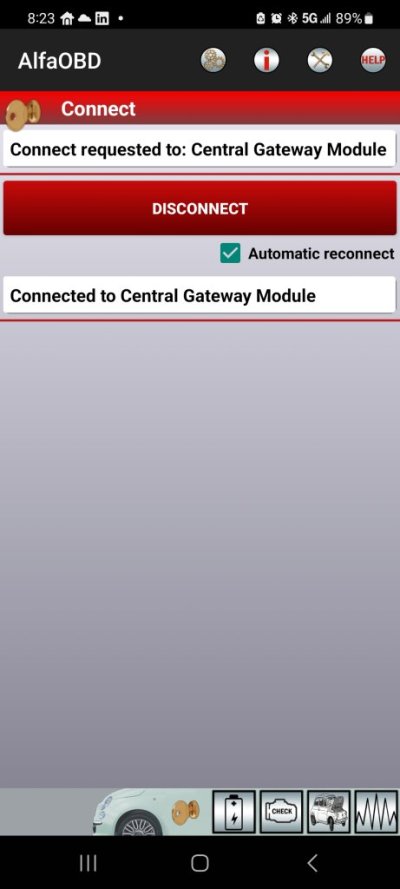
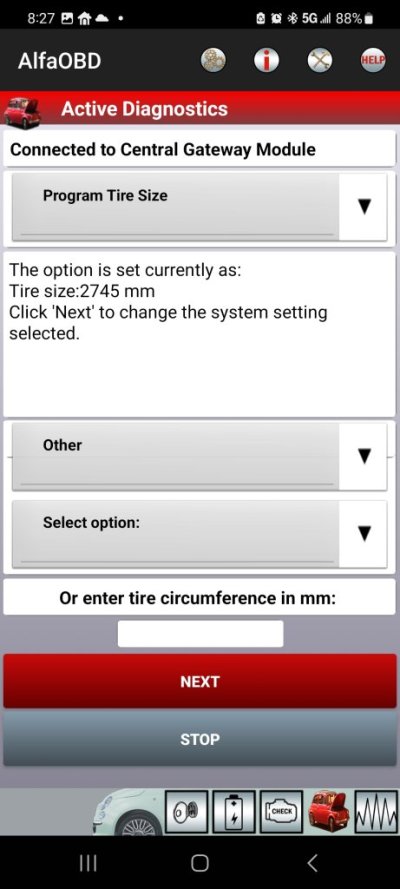
Screenshot_20250505_082341_AlfaOBD.jpgScreenshot_20250505_082747_AlfaOBD.jpg
Can select tire size, or enter size

Tire sizes vary, because of tread depth, which is why I took the tire spec of rotations per mile. Cheep tires have less tread depth than the tires I put on, so to be the most accurate, I think the Calc gets you more accurate.
 

Bmags

Senior Member
Joined
Nov 2, 2021
Posts
403
Reaction score
297
Location
Minneapolis
Ram Year
2019 classic
I’ve had the software & OBD Link MX for a little while and just now got around to trying this thing out. The situation I have is, I installed leather seats from a 2011 Laramie (I have a 2012 Express) and my OEM seats had side airbags... the leather ones do not. Of course I didn’t think about that being an issue until I installed the new seats.

So, now I have an airbag fault light. This will fail PA state inspection so I need to find a way to get rid of this light. I connected to the airbags and I can’t see any options in AlfaOBD to remove them or turn the light off. I can clear the code, which will turn the light off, but it will just come back on again as soon as I start the truck. Looking through the alfaOBD app, I didn’t see any options to really do anything at all except read information.

Am I missing something or is the option to add/remove/turn on/turn off features/options not available for 09-12 yet? I paid the $50 for the full version but I don’t see a screen or icon to click on that will take me to a screen where I can turn stuff off or add stuff. Just a display that shows there’s a fault/open circuit in the driver & passenger side seat airbags.

My PA inspection is up at the end of this month so I need to get this taken care of. I’ve read that you can wire some resistors into the plug to close the circuit but I have no clue what I’m doing with that kind of stuff. I guess if worse comes to worse I can reinstall the front seats for the sake of state inspection, but I’d really like to be able to “remove” the front seat airbags if that’s possible.

I know a very old thread, but just wanted to post this here so someone in the future would know.

To "trick" the computer to thinking the airbags are there, just put a resistor across the old air bag sensor wires. Should have been a 2 pin yellow connector. Typically the resistance needed is low, something like 2.2 ohms, or 4.2... something like that. No harm and no risks of explosions to try, but you should find a value that works. Keep in mind there is a small window that works, but I've done this before for curtain airbags and others.
 

faceplant68

Junior Member
Joined
Jun 9, 2025
Posts
4
Reaction score
1
Location
Canada
Ram Year
2010
Engine
5.7
MX+ Works perfectly in my 2010, I've never had an issue with it.
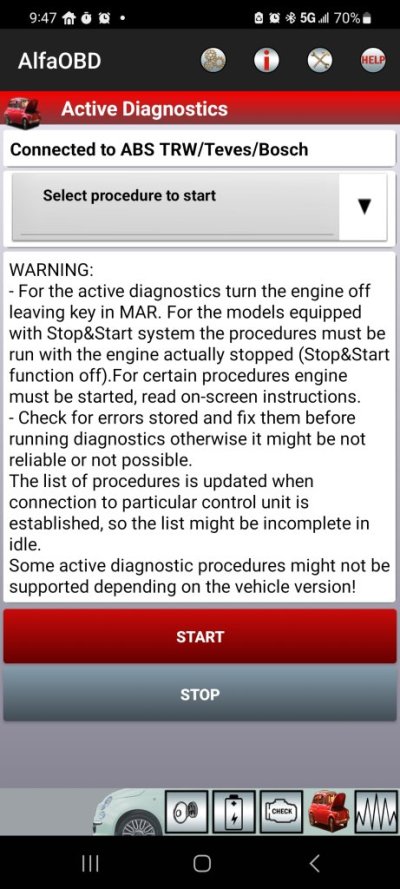
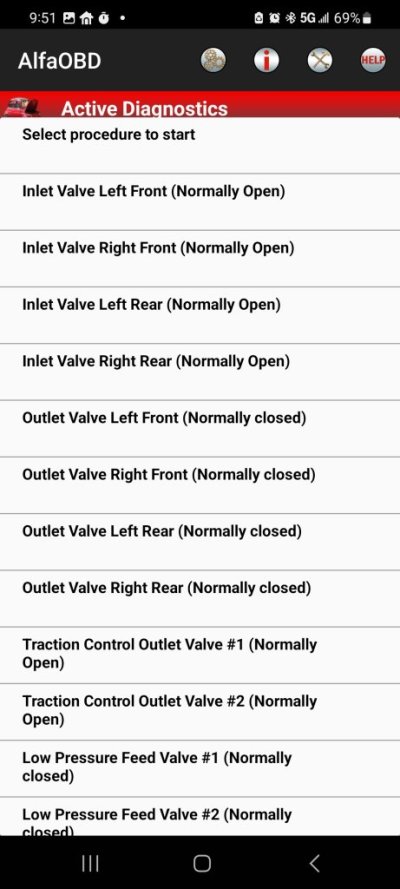
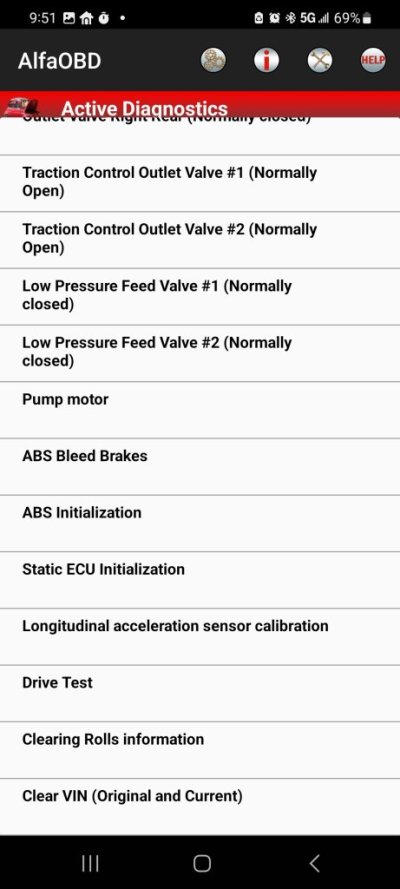
I'm using a VeePeak with AlfaOBD on my 2010 and the only thing I can't seem to connect to is the ABS module. Sounds like you've used the MX+ quite a bit. Can you confirm if it connects to the ABS module? I'm looking to reinitialize a module I just put in. Thanks.
 

metalchewy

Senior Member
Supporting Member
Joined
Mar 19, 2022
Posts
623
Reaction score
1,362
Location
Las Vegas
Ram Year
2010 TRX4
Engine
4.7L
I'm using a VeePeak with AlfaOBD on my 2010 and the only thing I can't seem to connect to is the ABS module. Sounds like you've used the MX+ quite a bit. Can you confirm if it connects to the ABS module? I'm looking to reinitialize a module I just put in. Thanks.
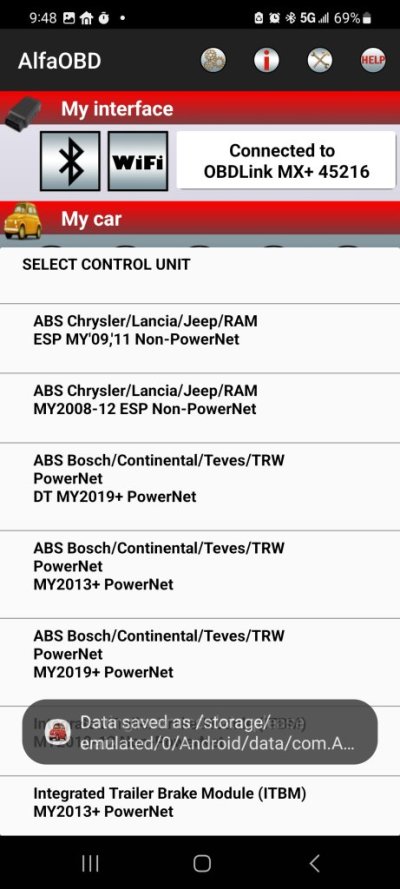
I can connect to the two top ones in the list.
Screenshot_20250610_094821_AlfaOBD.jpg
Screenshot_20250610_094732_AlfaOBD.jpg
Screenshot_20250610_095110_AlfaOBD.jpgScreenshot_20250610_095105_AlfaOBD.jpg
 

rojpon74

Junior Member
Joined
Sep 23, 2024
Posts
12
Reaction score
10
Location
Washington State
Ram Year
2011
Engine
5.7
I hope someone can help me. I keep getting this message
View attachment 236223


The message will clear when I use the back up then pops back up after driving forward for a few minutes.
View attachment 236221


I use the following to connect and try to clear the message for good, but it isn't working. What am I doing wrong? Wrong module, wrong action?
View attachment 236224
View attachment 236225 View attachment 236226


I have connected to both WCM seperately. More pictures to follow
Resurrecting this long-ago post as the same exact thing has been recently happening on my 2011 Ram 1500. Anyone have any idea as to what the cause might be?
 

SitKneelBend

Moderator
Staff member
Member Relations Specialist
Moderator Supporting Member Marine Corps
Joined
Jan 8, 2015
Posts
11,025
Reaction score
7,751
Location
St. Louis
Ram Year
2014
Engine
3.6 Pentastar
Resurrecting this long-ago post as the same exact thing has been recently happening on my 2011 Ram 1500. Anyone have any idea as to what the cause might be?
May need to clean/replace/calibrate the sensors. Have you bumped the bumpers recently?
 

SitKneelBend

Moderator
Staff member
Member Relations Specialist
Moderator Supporting Member Marine Corps
Joined
Jan 8, 2015
Posts
11,025
Reaction score
7,751
Location
St. Louis
Ram Year
2014
Engine
3.6 Pentastar
I did replace one sensor recently. Do you know what the calibration procedure is?
I do not, sorry...more just getting ideas of where to begin troubleshooting. Did you use an OEM sensor? Have you seen if there are any stored codes?
 

rojpon74

Junior Member
Joined
Sep 23, 2024
Posts
12
Reaction score
10
Location
Washington State
Ram Year
2011
Engine
5.7
I do not, sorry...more just getting ideas of where to begin troubleshooting. Did you use an OEM sensor? Have you seen if there are any stored codes?
I ran a diagnostic of the Parktronics module in AlfaOBD and got the following error:

Error code: B1298
PTS Sensor 11
Short circuit to + battery

And, yes, I replaced the sensor with an OEM piece.
 

SitKneelBend

Moderator
Staff member
Member Relations Specialist
Moderator Supporting Member Marine Corps
Joined
Jan 8, 2015
Posts
11,025
Reaction score
7,751
Location
St. Louis
Ram Year
2014
Engine
3.6 Pentastar
I ran a diagnostic of the Parktronics module in AlfaOBD and got the following error:

Error code: B1298
PTS Sensor 11
Short circuit to + battery

And, yes, I replaced the sensor with an OEM piece.
Ok, If I'm not mistaken that means a bad sensor OR a bad connection to/on the sensor. Did you replace it because it had this error? If so, are you sure you replaced the right sensor?
 

rojpon74

Junior Member
Joined
Sep 23, 2024
Posts
12
Reaction score
10
Location
Washington State
Ram Year
2011
Engine
5.7
Ok, If I'm not mistaken that means a bad sensor OR a bad connection to/on the sensor. Did you replace it because it had this error? If so, are you sure you replaced the right sensor?
Yeah, I was thinking it might not be a secure connection when I replaced the sensor. Will check connection to make sure it's tight. I forgot the error code I got before but it pointed to a sensor failure to the specific one I replaced (left rear).
 

DripJust

Senior Member
Joined
Dec 8, 2024
Posts
194
Reaction score
87
Location
Canada Ontario
Ram Year
2009
Engine
5.7 Hemi
Ya I can't get rid of the lamp out message also on my 2009 Laramie with alfa. I'm using led bulbs in my halogen taillights and I tried multiple times enabling that setting. I did have luck getting my DRLs and LED signals to stay on at the same time on the Vland HID's.
Still trying to get the oem power folding mirrors to work. I tried using modules from a 2014 long horn that had the same mirrors and the power folding mirrors worked but I lost my front power window and locks along with the turn signals and puddle lights. So I put the old modules back in.
Does any one know how to get power folding non tow style mirrors to work the 2009-2012 1500's ?
 

rojpon74

Junior Member
Joined
Sep 23, 2024
Posts
12
Reaction score
10
Location
Washington State
Ram Year
2011
Engine
5.7
Ya I can't get rid of the lamp out message also on my 2009 Laramie with alfa. I'm using led bulbs in my halogen taillights and I tried multiple times enabling that setting. I did have luck getting my DRLs and LED signals to stay on at the same time on the Vland HID's.
Still trying to get the oem power folding mirrors to work. I tried using modules from a 2014 long horn that had the same mirrors and the power folding mirrors worked but I lost my front power window and locks along with the turn signals and puddle lights. So I put the old modules back in.
Does any one know how to get power folding non tow style mirrors to work the 2009-2012 1500's ?
I'm not much help with your lamp out issue, but I can definitely help you with the non-tow power folding mirrors as I just did that on my 2011 Big Horn. The key to the conversion on a 2009-2012 model are the front door modules...you need a 2011-2012 module with the power fold function. The electronics changed quite a bit for 2013 and up and so door modules from 2013-up models will not work. Here's a parts list you can use to scour eBay, your local dealership, online Mopar parts dealers, etc. You can get these used or new:

1. Door Module, Left: 4602911AK

2. Door Module, Right: 4602910AK

3. Driver's Door Window/Mirror/Lock Switch: looks like you already have a switch that works, but it should be from a 2011 or 2012 model. Part numbers for reference are 4602534AG or 68620456AA (which superseded 4602534AG)

4. Driver and Passenger Door Non-Tow Mirror with power fold: looks like you already have mirrors with the power fold function so you should be good.

In addition to the above-parts, you will need to purchase the AlfaOBD software and accompanying license that will allow you to enable the power-folding mirror function in your truck: https://www.alfaobd.com/. You didn't say if you've enabled the power-folding mirror function in your truck's TIPM (aka Central Gateway Module) but if you didn't, you'll need to do so using the AlfaOBD software.

Hope this helps and good luck!
 

DripJust

Senior Member
Joined
Dec 8, 2024
Posts
194
Reaction score
87
Location
Canada Ontario
Ram Year
2009
Engine
5.7 Hemi
Thanks for the info ! I called my dealership and spoke to parts department bc I had the same hunch about the modules. She gave me part # 68055298AK / 68055299AK but when I checked them on chryslerparts.com they don't say power folding. So thanks for these numbers you used.
One other thing I was never 100 percent about was if the 2009 had a bcm or not or if it just ran body control through the tipm (central gateway module) so now I'm wondering if it is at all possible to do the OEM 5th gen led 2500 series tail lights upgrade, because using the OEM lamps and wiring harness was pinned into a bcm from a install I seen on YouTube loOl.
 
Last edited:

rojpon74

Junior Member
Joined
Sep 23, 2024
Posts
12
Reaction score
10
Location
Washington State
Ram Year
2011
Engine
5.7
Thanks for the info ! I called my dealership and spoke to parts department bc I had the same hunch about the modules. She gave me part # 68055298AK / 68055299AK but when I checked them on chryslerparts.com they don't say power folding. So thanks for these numbers you used.
One other thing I was never 100 percent about was if the 2009 had a bcm or not or if it just ran body control through the tipm (central gateway module) so now I'm wondering if it is at all possible to do the OEM 5th gen led 2500 series tail lights upgrade, because using the OEM lamps and wiring harness was pinned into a bcm from a install I seen on YouTube loOl.
Glad to be of help. Hope you can find the correct door modules shortly.

2009-2012 used the TIPM/Central Gateway Module. Chrysler went to the BCM on the trucks starting in 2013. I'm guessing the 5th gen tail lights you're thinking about installing are LED. Assuming that, I've seen lots of folks here adapt the LED taillights from later models (2013-up) but practically all of them have had to resort to resistors to get the turn signals to not hyperflash and to eliminate the light out issue. If I recall correctly, the TIPM has an LED enable setting for the rear taillights, but from the folks who've tried to install the LED taillights and enabled the setting, it hasn't had any effect, hence the resistors.
 

DripJust

Senior Member
Joined
Dec 8, 2024
Posts
194
Reaction score
87
Location
Canada Ontario
Ram Year
2009
Engine
5.7 Hemi
Ya I tried enabling the led setting with alpha and it wouldn't set. And I only have led bulbs in my halogen tail lamps.
There are after market solutions to get the led 5th gen upgrade.
 

kbelfour

Junior Member
Joined
Nov 11, 2025
Posts
8
Reaction score
3
Location
Canada
Ram Year
2010
Engine
5.7
From Alexey at AlfaOBD. I had inquired about drls and fogs on with high beans in particular...

"DRL and fogs configuration is available for RAM 2009-12 as the central gateway configuration settings. Currently the most important control units like engine, TCM, CGW, CCN, ABS, ORC, etc. are supported. I plan all the control modules supported within the next couple of months."

So I'm gonna pull the trigger and see what happens.
oem configuration lists for these are available question
 
Back
Top