

You are using an out of date browser. It may not display this or other websites correctly.
You should upgrade or use an alternative browser.
You should upgrade or use an alternative browser.
How To: Install a 2018 4C (UAQ/UAS) Radio in 2013 - 2017 RAM
- Thread starter DeereGuy
- Start date
Disclaimer: Links on this page pointing to Amazon, eBay and other sites may include affiliate code. If you click them and make a purchase, we may earn a small commission.
PdPuNOme
Senior Member
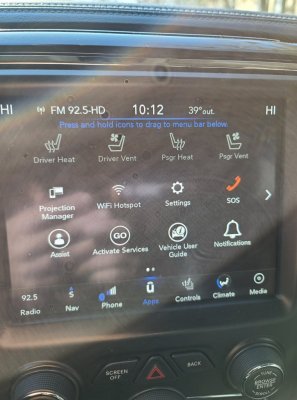
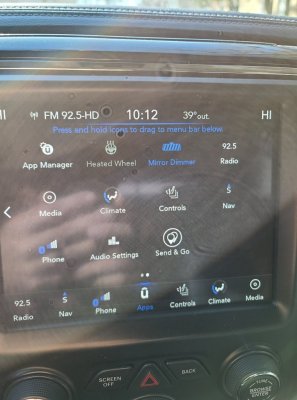
FYI greyed out icons such as heated seats etc is only because the engine is not running. All functions work as they should, just trying to figure out the camera's app buttons not appearing to be able to drag down into my main bar as I had with a ra4 nav 8.4 before this UAQ.
PdPuNOme
Senior Member
Don’t worry about the software version. I can pretty much guarantee you that the Radio & Connectivity Trailer Hitch Camera is not set to “Yes” on your 2015. Check that setting first.
it was set to no, changed to yes, now waiting to see if anything changes. THANK YOU. of all the writeups, videos, and responses throughout forums etc you are the first one to make mention at least that I have seen.
Jimmy07
Senior Member
- Joined
- Feb 23, 2017
- Posts
- 3,512
- Reaction score
- 3,565
- Ram Year
- 2017
- Engine
- 6.4 Hemi
You can connect to the radio, and perform the reset ECU procedure. That’ll reboot the radio and usually speeds up the process of getting the icon to show.it was set to no, changed to yes, now waiting to see if anything changes. THANK YOU. of all the writeups, videos, and responses throughout forums etc you are the first one to make mention at least that I have seen.
PdPuNOme
Senior Member
You can connect to the radio, and perform the reset ECU procedure. That’ll reboot the radio and usually speeds up the process of getting the icon to show.
i just ran through all the settings again which everything was set properly, just was missing that trailer hitch one. Ill give it another few and go check again if not ill do the reset. at this moment still no change.
PdPuNOme
Senior Member
You can connect to the radio, and perform the reset ECU procedure. That’ll reboot the radio and usually speeds up the process of getting the icon to show.
Just did the reset and still no change.
Jimmy07
Senior Member
- Joined
- Feb 23, 2017
- Posts
- 3,512
- Reaction score
- 3,565
- Ram Year
- 2017
- Engine
- 6.4 Hemi
Just give it some timeWondering if changing the settings for the cameras in my2017 or 18 rather than my2015 would make any difference?
Still no change in apps appearing or having two cam buttons in controls.
PdPuNOme
Senior Member
Just give it some time
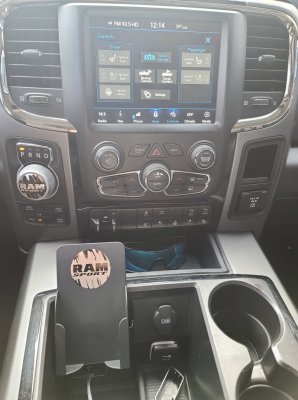
progress, now have the two separate icons in controls THANK YOU, but still no app icons
Jimmy07
Senior Member
- Joined
- Feb 23, 2017
- Posts
- 3,512
- Reaction score
- 3,565
- Ram Year
- 2017
- Engine
- 6.4 Hemi
Maybe check this setting-progress, now have the two separate icons in controls THANK YOU, but still no app icons
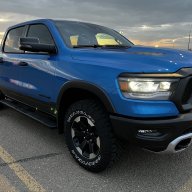
View attachment 236609
ECUConfig 3: Radio Apps Present- YES
BJSwizzle
Senior Member
- Joined
- Aug 26, 2018
- Posts
- 279
- Reaction score
- 274
- Location
- Edmonton Alberta Canada
- Ram Year
- 2019 1500 Sport
- Engine
- 5.7L
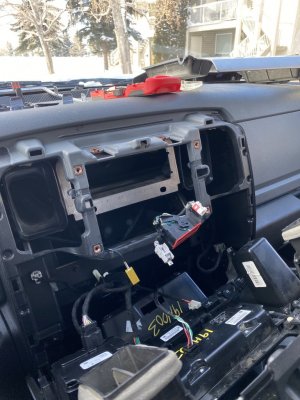
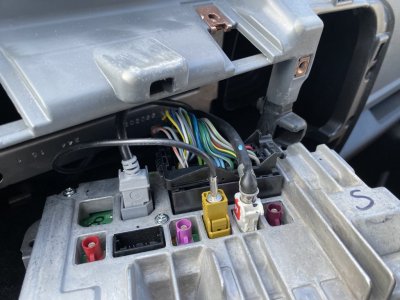
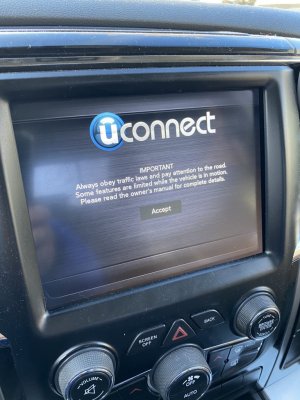
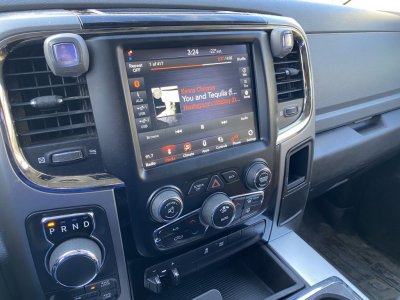
Finished installing my new 2018 unit into my 2017 Ram, plug and play so far, I have to install the new media hub on Monday, I’ll let it sleep for a bit
BJSwizzle
Senior Member
- Joined
- Aug 26, 2018
- Posts
- 279
- Reaction score
- 274
- Location
- Edmonton Alberta Canada
- Ram Year
- 2019 1500 Sport
- Engine
- 5.7L
For my old unit, will the same anti theft code I used to unlock it still work for a new owner?

For my old unit, will the same anti theft code I used to unlock it still work for a new owner?
Yes.

- Joined
- Mar 20, 2016
- Posts
- 12,372
- Reaction score
- 21,559
- Ram Year
- 2015
- Engine
- 3.0 EcoDiesel
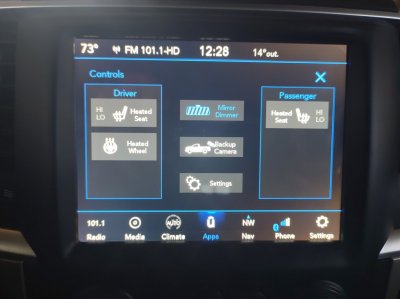
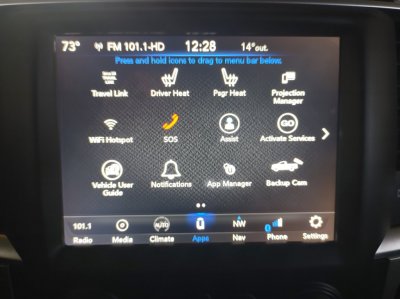
@PdPuNOmeI can pretty much guarantee you that the Radio & Connectivity Trailer Hitch Camera is not set to “Yes” on your 2015.
This is definitely the setting to get the back up camera, both in the Control screen and in the app section. I changed my '15 yesterday and the third drive cycle today they both popped up. Now if there is a way to stop the camera from dropping out when you go over about 10 mph.

SitKneelBend
Moderator
Staff member
Member Relations Specialist
 Moderator
 Supporting Member
 Marine Corps
- Joined
- Jan 8, 2015
- Posts
- 11,003
- Reaction score
- 7,717
- Location
- St. Louis
- Ram Year
- 2014
- Engine
- 3.6 Pentastar
I'm presently trying to figure out the video in motion now. I'm not sure if I'm making progress, but I'm making something...I finally got the extra inputs to appear.@PdPuNOme
This is definitely the setting to get the back up camera, both in the Control screen and in the app section. I changed my '15 yesterday and the third drive cycle today they both popped up. Now if there is a way to stop the camera from dropping out when you go over about 10 mph.View attachment 236770 View attachment 236771
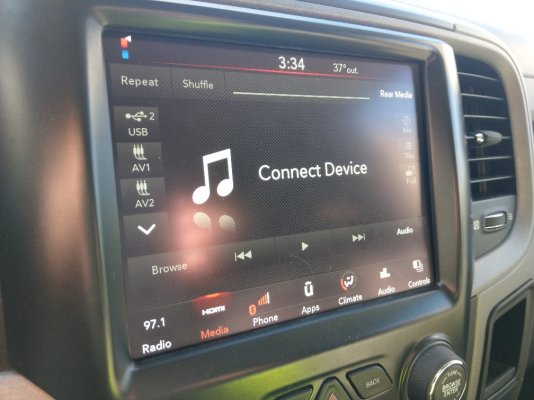
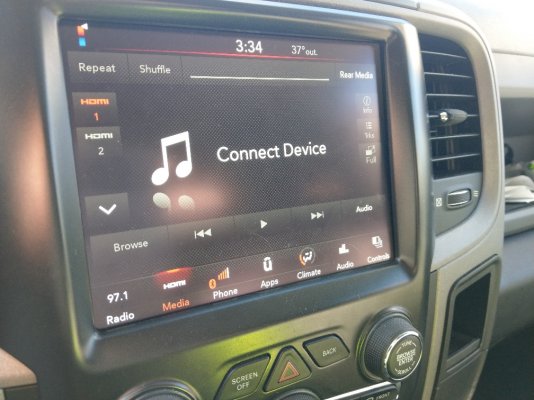
Sent from my HTC U11 using Tapatalk
- Joined
- Mar 20, 2016
- Posts
- 12,372
- Reaction score
- 21,559
- Ram Year
- 2015
- Engine
- 3.0 EcoDiesel
The back up camera button works but as soon I go over about 10 mph the screen goes blue. Most likely the power is being turned off to the camera, but that was sorta already known about '15. I might have to isolate the camera power and feed it with switched ignition power provided the tailgate camera won't be destroyed being powered up most of the time.I'm presently trying to figure out the video in motion now. I'm not sure if I'm making progress, but I'm making something...I finally got the extra inputs to appear.
Jimmy07
Senior Member
- Joined
- Feb 23, 2017
- Posts
- 3,512
- Reaction score
- 3,565
- Ram Year
- 2017
- Engine
- 6.4 Hemi
The camera is already fed by switched ignition power.The back up camera button works but as soon I go over about 10 mph the screen goes blue. Most likely the power is being turned off to the camera, but that was sorta already known about '15. I might have to isolate the camera power and feed it with switched ignition power provided the tailgate camera won't be destroyed being powered up most of the time.
- Joined
- Mar 20, 2016
- Posts
- 12,372
- Reaction score
- 21,559
- Ram Year
- 2015
- Engine
- 3.0 EcoDiesel
Well that ruins my idea.The camera is already fed by switched ignition power.
Good to know about the power, I'm guessing it's an internal video switching in the BCM?
SitKneelBend
Moderator
Staff member
Member Relations Specialist
Moderator
Supporting Member
Marine Corps
- Joined
- Jan 8, 2015
- Posts
- 11,003
- Reaction score
- 7,717
- Location
- St. Louis
- Ram Year
- 2014
- Engine
- 3.6 Pentastar
There's an explicit setting for it in the radio settings for AlfaOBD too under internal ECU config but when I change it it reverts to disabled...The back up camera button works but as soon I go over about 10 mph the screen goes blue. Most likely the power is being turned off to the camera, but that was sorta already known about '15. I might have to isolate the camera power and feed it with switched ignition power provided the tailgate camera won't be destroyed being powered up most of the time.
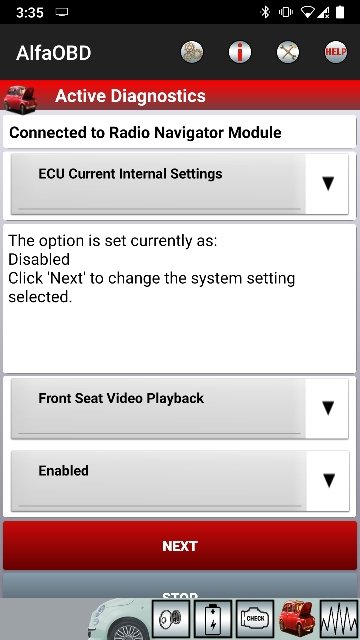
Sent from my HTC U11 using Tapatalk


- Joined
- Mar 30, 2014
- Posts
- 6,588
- Reaction score
- 5,202
- Location
- SC
- Ram Year
- 2022 Ram 1500 (5th Gen)
- Engine
- 5.7L
The back up camera button works but as soon I go over about 10 mph the screen goes blue. Most likely the power is being turned off to the camera, but that was sorta already known about '15. I might have to isolate the camera power and feed it with switched ignition power provided the tailgate camera won't be destroyed being powered up most of the time.
Another option is to remove the Lin Bus CBC 3 signal going to the camera (Tailgate connector or BCM (C5/E-45).Well that ruins my idea.
Good to know about the power, I'm guessing it's an internal video switching in the BCM?
It will lose the camera guide lines but camera will output video as long as the key is in the run position/powered up (if I understand what you're trying to do correctly).
See Post 911 of DIY BuCam Install thread.
(I never got around to testing the idea fully)
M² Mods.
Similar threads

- Replies
- 1
- Views
- 216


Members online
- Joebear
- MarshRam
- 24PowerWagon
- Hagar1
- barf
- Hohner0006
- A child of God
- richdodge
- Wild one
- ramsteve1500
- crackerjack1957
- outlawmule
- mb33458
- troutspinner
- midwestmopars
- maxx442
- Magfan2
- Bjorn56
- Motoman501
- Rav3ncroft
- furry
- luminaz34
- Buddy
- Whosgow
- 2016 2500
- Mrbutt
- GiantDwarf77
- Loudram
- HEMIMANN
- DILLIGAF
- Musky Mike
- hunterdan
- gman10101
- TRK_GANG74
- Lashlee
- midnight express
- Curmudgeon
- British Bulldog
- JOSV650S
- Heatheroo
- BigCal77
- poopsleeve
- Jimhow4545
- Prestonguillory14
- Horning3398
- LOWRMPG
- JoeMo
- gevans58
Total: 4,340 (members: 58, guests: 4,282)
Robots: 1,838
Robots: 1,838