
You are using an out of date browser. It may not display this or other websites correctly.
You should upgrade or use an alternative browser.
You should upgrade or use an alternative browser.
AlfaOBD
- Thread starter Ghost_RAM
- Start date
Disclaimer: Links on this page pointing to Amazon, eBay and other sites may include affiliate code. If you click them and make a purchase, we may earn a small commission.
Roman217
Senior Member
- Joined
- Apr 13, 2018
- Posts
- 366
- Reaction score
- 342
- Location
- Metro Detroit, MI
- Ram Year
- 2015
- Engine
- 5.7
I have my CHMSL, license plate, and reverse lights set to LED on my 2015 laramie with no issues. Previously, my reverse and license plate lights would set DTCs in the BCM but they wouldn't show up in the cluster.
Last edited:
Lawsuit11
Senior Member
- Joined
- Sep 10, 2018
- Posts
- 819
- Reaction score
- 685
- Location
- Westland, MI
- Ram Year
- 2018 1500
- Engine
- Hemi 5.7
JUST TO LET EVERYONE KNOW, after i get off work today i am on my way to the dealer to get my PIN to attempt to program 2 new keys through AlfaOBD. i will let everyone know how it goes. i purchased one cheap key off amazon and an original RAM key with the emblem on the back. i did that just to cover all angels

- Joined
- Jul 10, 2017
- Posts
- 2,788
- Reaction score
- 2,331
- Location
- Hudson Valley, NY
- Ram Year
- 2014
- Engine
- 5.7L HEMI
Has anybody figured out if we can disable mds with this?
Sent from my SM-G955U using Tapatalk
No, that requires a tuner.
-K
mtnrider
Senior Member
- Joined
- Sep 25, 2014
- Posts
- 3,538
- Reaction score
- 4,304
- Location
- Georgia
- Ram Year
- 2016
- Engine
- 6.7 Cummins
JUST TO LET EVERYONE KNOW, after i get off work today i am on my way to the dealer to get my PIN to attempt to program 2 new keys through AlfaOBD. i will let everyone know how it goes. i purchased one cheap key off amazon and an original RAM key with the emblem on the back. i did that just to cover all angels
Awesome, keep us posted. I would love to have a couple extra keys. I really need a few extra for my wife and her Jeep. She already lost one and that cost us about $300 to replace and program.

.
- Joined
- Jul 10, 2017
- Posts
- 2,788
- Reaction score
- 2,331
- Location
- Hudson Valley, NY
- Ram Year
- 2014
- Engine
- 5.7L HEMI
@Alexx Make sure you're setting both locations called "special packages". Make sure they both say the same thing. If choosing Limited, make sure both are set to Limited. There are quite a few in there that will not work. Also make sure you're letting the truck sleep with the key out of the ignition and preferably for at least 5 minutes. While it doesn't take that long for some codes to set, it does for others or even much longer.
On this subject...
Background:
I have a '14 1500 Express with a 7" EVIC swapped in from another '14 of unknown trim (not a Limited or Rebel, just has the RAM logo at the top). It was reprogrammed to my truck's miles and hours before it was sent to me by the seller, ClusterSurgeon.
It has displayed the generic 3D ram's head logo as it's splash screen since I installed it. My trucks BCM had both SP options set to "No" initially.
I played with most if not all of the available combinations (the RAM truck relevant ones) of the two Special Package options a few weeks back using AlphaOBD and could not find one that displayed anything other than the 3D logo or a blank screen. It's not a matter of time or cycles, it's had both set to Limited for the last three weeks with no effect (still the ram's head logo).
New Thoughts:
1> Going through all the BCM files on the shared drive I noticed that the two trucks whose VIN lists them as Laramies (an '18 and a '15) both have the two options set like this:
Special Packages: Sport/SLT+/Laramie
Special Packages: Larmie
And the one Outdoorsman has it set like this:
Special Packages: Sport/SLT+/Laramie
Special Packages: Limited
There's also a third one (a '17 2500 CTD) with no VIN to check the trim level against that is set the same as the two Laramies.
So, I just went out and set the first SP to Sport/SLT+/Laramie, giving me the same config as the Outdoorsman. If that does nothing I'll try the Laramie setting. I shall report back what happens.
2> There was another thread going on somewhere here on the EVIC splash screen subject where the theory was proposed that something in the programing process that the non-FCA companies use is damaging or otherwise blanking out the other images from the EVIC's firmware. So, I was wondering, of those of you who have swapped out your cluster and had it reprogrammed, can we collect the following info:
a> What year/trim is your truck?
b> What year/trim did your cluster come from?
c> Are you able to change the splash screen with AlphaOBD?
d> Who did your reprogramming?
3> Does anyone have a list of what the various trim levels of trucks that come with the 7" EVIC from the factory display by default?
-K
mjf6175
Senior Member
On this subject...
Background:
I have a '14 1500 Express with a 7" EVIC swapped in from another '14 of unknown trim (not a Limited or Rebel, just has the RAM logo at the top). It was reprogrammed to my truck's miles and hours before it was sent to me by the seller, ClusterSurgeon.
It has displayed the generic 3D ram's head logo as it's splash screen since I installed it. My trucks BCM had both SP options set to "No" initially.
I played with most if not all of the available combinations (the RAM truck relevant ones) of the two Special Package options a few weeks back using AlphaOBD and could not find one that displayed anything other than the 3D logo or a blank screen. It's not a matter of time or cycles, it's had both set to Limited for the last three weeks with no effect (still the ram's head logo).
New Thoughts:
1> Going through all the BCM files on the shared drive I noticed that the two trucks whose VIN lists them as Laramies (an '18 and a '15) both have the two options set like this:
Special Packages: Sport/SLT+/Laramie
Special Packages: Larmie
And the one Outdoorsman has it set like this:
Special Packages: Sport/SLT+/Laramie
Special Packages: Limited
There's also a third one (a '17 2500 CTD) with no VIN to check the trim level against that is set the same as the two Laramies.
So, I just went out and set the first SP to Sport/SLT+/Laramie, giving me the same config as the Outdoorsman. If that does nothing I'll try the Laramie setting. I shall report back what happens.
2> There was another thread going on somewhere here on the EVIC splash screen subject where the theory was proposed that something in the programing process that the non-FCA companies use is damaging or otherwise blanking out the other images from the EVIC's firmware. So, I was wondering, of those of you who have swapped out your cluster and had it reprogrammed, can we collect the following info:
a> What year/trim is your truck?
b> What year/trim did your cluster come from?
c> Are you able to change the splash screen with AlphaOBD?
d> Who did your reprogramming?
3> Does anyone have a list of what the various trim levels of trucks that come with the 7" EVIC from the factory display by default?
-K
Kad....do not know if what I say here will help you, more than likely it will muddy the waters more. I have a 2017 2500 SLT. The downloaded file I have of my BCM shows SEVERAL listings of "Special Packages" for a total of 5. They are in the same order below:
1) Special Packages: Sport / SLT+ / Laramie
2) Special Packages: NO
3) Special Packages Not Defined
4) Special Packages Not Defined
5) Special Packages Not Defined
I have not attempted to change my EVIC screen or the settings above, that is what my Ram came with. What is confusing is that with the above settings my EVIC splash screen displays "2500" and how it knows its a 2500 I do not know.
WTM75
Senior Member
- Joined
- Apr 25, 2018
- Posts
- 823
- Reaction score
- 350
- Location
- Upstate NY
- Ram Year
- 2017
- Engine
- 3.6 Pentastar
Don't know if this will help because I haven't tried with Alpha yet.
a> What year/trim is your truck? 2017 EXPRESS
b> What year/trim did your cluster come from? 2017 (says POWERWAGON when I turn it on)
c> Are you able to change the splash screen with AlphaOBD? Hoping to find out Monday
d> Who did your reprogramming? NavRepair
a> What year/trim is your truck? 2017 EXPRESS
b> What year/trim did your cluster come from? 2017 (says POWERWAGON when I turn it on)
c> Are you able to change the splash screen with AlphaOBD? Hoping to find out Monday
d> Who did your reprogramming? NavRepair

Ricks Ram
Senior Member
- Joined
- May 1, 2015
- Posts
- 4,411
- Reaction score
- 3,415
- Ram Year
- 2014
- Engine
- Hemi 5.7
The 2013 an 2014 trucks never had the option to have specific trim levels come up on the speedometer splash screen. It started becoming available in 2015. To the best of my knowledge no matter what you program in a 2013 or 2014 truck it's not going to come up on the screen because its not configured to in the BCM. On the flip side if you had a 13 or 14 cluster in a 15 or newer truck not sure if it would show the option package on startup. Many of us with the 13 and 14 trucks have changed all the settings with the tool hoping maybe they would come up with no success.On this subject...
Background:
I have a '14 1500 Express with a 7" EVIC swapped in from another '14 of unknown trim (not a Limited or Rebel, just has the RAM logo at the top). It was reprogrammed to my truck's miles and hours before it was sent to me by the seller, ClusterSurgeon.
It has displayed the generic 3D ram's head logo as it's splash screen since I installed it. My trucks BCM had both SP options set to "No" initially.
I played with most if not all of the available combinations (the RAM truck relevant ones) of the two Special Package options a few weeks back using AlphaOBD and could not find one that displayed anything other than the 3D logo or a blank screen. It's not a matter of time or cycles, it's had both set to Limited for the last three weeks with no effect (still the ram's head logo).
New Thoughts:
1> Going through all the BCM files on the shared drive I noticed that the two trucks whose VIN lists them as Laramies (an '18 and a '15) both have the two options set like this:
Special Packages: Sport/SLT+/Laramie
Special Packages: Larmie
And the one Outdoorsman has it set like this:
Special Packages: Sport/SLT+/Laramie
Special Packages: Limited
There's also a third one (a '17 2500 CTD) with no VIN to check the trim level against that is set the same as the two Laramies.
So, I just went out and set the first SP to Sport/SLT+/Laramie, giving me the same config as the Outdoorsman. If that does nothing I'll try the Laramie setting. I shall report back what happens.
2> There was another thread going on somewhere here on the EVIC splash screen subject where the theory was proposed that something in the programing process that the non-FCA companies use is damaging or otherwise blanking out the other images from the EVIC's firmware. So, I was wondering, of those of you who have swapped out your cluster and had it reprogrammed, can we collect the following info:
a> What year/trim is your truck?
b> What year/trim did your cluster come from?
c> Are you able to change the splash screen with AlphaOBD?
d> Who did your reprogramming?
3> Does anyone have a list of what the various trim levels of trucks that come with the 7" EVIC from the factory display by default?
-K
Sent from my SM-G960U using Tapatalk
Jimmy07
Senior Member
- Joined
- Feb 23, 2017
- Posts
- 3,507
- Reaction score
- 3,548
- Ram Year
- 2017
- Engine
- 6.4 Hemi
I have a 2017 2500 tradesman. I know for a fact my cluster originally came out of a 2014 1500 Laramie. “Heavy Duty 2500” has shown up on the screen since the day I put it in my truck with no other input from me. Dominic programmed the cluster.
Ricks Ram
Senior Member
- Joined
- May 1, 2015
- Posts
- 4,411
- Reaction score
- 3,415
- Ram Year
- 2014
- Engine
- Hemi 5.7
That's good to know. So apparently the 13 or 14 cluster is capable of showing the trim level when installed in a 15 or newer truck. I really wish someone would get the 13 or 14 truck to be able to show the trim level. I tried every setting I could find on my 14 with a 13 cluster with no luck. If someone has better luck than me I'm all ears but I'm thinking since the 13 and 14 trucks never had the option for the trim level to come up on the splash screen it may be something that the BCM is just not programmed to do. Kind of like the backup camera in motion,bed lights ect.I have a 2017 2500 tradesman. I know for a fact my cluster originally came out of a 2014 1500 Laramie. “Heavy Duty 2500” has shown up on the screen since the day I put it in my truck with no other input from me. Dominic programmed the cluster.
Sent from my SM-G960U using Tapatalk
Lawsuit11
Senior Member
- Joined
- Sep 10, 2018
- Posts
- 819
- Reaction score
- 685
- Location
- Westland, MI
- Ram Year
- 2018 1500
- Engine
- Hemi 5.7
Awesome, keep us posted. I would love to have a couple extra keys. I really need a few extra for my wife and her Jeep. She already lost one and that cost us about $300 to replace and program.
.
I’ve tried and tried and tried. It keeps saying security access failed on AlfaOBD. So I’m guessing it’s not possible for some reason. It’s either AlfaOBD is not compatible or the dealer gave me the wrong code. Can anyone let me know what their paper says that has their code from the dealer? Mine says key code inquiry.
2018 Black Pearl Ram 1500
LED Tail Lights, Black 4 Quad Halogens with HID conversion, LED Black 3rd Break Light, Blacked Out Emblems, 8.4 UAQ conversion!
Jimmy07
Senior Member
- Joined
- Feb 23, 2017
- Posts
- 3,507
- Reaction score
- 3,548
- Ram Year
- 2017
- Engine
- 6.4 Hemi
Can you try to change your TPMS threshold with that PIN, and see if it gives you the same denial.I’ve tried and tried and tried. It keeps saying security access failed on AlfaOBD. So I’m guessing it’s not possible for some reason. It’s either AlfaOBD is not compatible or the dealer gave me the wrong code. Can anyone let me know what their paper says that has their code from the dealer? Mine says key code inquiry.
2018 Black Pearl Ram 1500
LED Tail Lights, Black 4 Quad Halogens with HID conversion, LED Black 3rd Break Light, Blacked Out Emblems, 8.4 UAQ conversion!

- Joined
- Mar 19, 2018
- Posts
- 301
- Reaction score
- 439
- Location
- South East Wisconsin
- Ram Year
- 2018
- Engine
- 3.6
I’ve tried and tried and tried. It keeps saying security access failed on AlfaOBD. So I’m guessing it’s not possible for some reason. It’s either AlfaOBD is not compatible or the dealer gave me the wrong code. Can anyone let me know what their paper says that has their code from the dealer? Mine says key code inquiry.
2018 Black Pearl Ram 1500
LED Tail Lights, Black 4 Quad Halogens with HID conversion, LED Black 3rd Break Light, Blacked Out Emblems, 8.4 UAQ conversion!
Do you have the security module bypass cable for your 2018?
https://www.ramforum.com/threads/2018-ram-security-module-bypass.125133/
Lawsuit11
Senior Member
- Joined
- Sep 10, 2018
- Posts
- 819
- Reaction score
- 685
- Location
- Westland, MI
- Ram Year
- 2018 1500
- Engine
- Hemi 5.7
Can you try to change your TPMS threshold with that PIN, and see if it gives you the same denial.
Where do I find that. I found it in the body computer and I can update without a Pin
2018 Black Pearl Ram 1500
LED Tail Lights, Black 4 Quad Halogens with HID conversion, LED Black 3rd Break Light, Blacked Out Emblems, 8.4 UAQ conversion!
Lawsuit11
Senior Member
- Joined
- Sep 10, 2018
- Posts
- 819
- Reaction score
- 685
- Location
- Westland, MI
- Ram Year
- 2018 1500
- Engine
- Hemi 5.7
Do you have the security module bypass cable for your 2018?
https://www.ramforum.com/threads/2018-ram-security-module-bypass.125133/
Yes. Already know it’s working cause I enabled my DRL
2018 Black Pearl Ram 1500
LED Tail Lights, Black 4 Quad Halogens with HID conversion, LED Black 3rd Break Light, Blacked Out Emblems, 8.4 UAQ conversion!
mtnrider
Senior Member
- Joined
- Sep 25, 2014
- Posts
- 3,538
- Reaction score
- 4,304
- Location
- Georgia
- Ram Year
- 2016
- Engine
- 6.7 Cummins
Where do I find that. I found it in the body computer and I can update without a Pin
2018 Black Pearl Ram 1500
LED Tail Lights, Black 4 Quad Halogens with HID conversion, LED Black 3rd Break Light, Blacked Out Emblems, 8.4 UAQ conversion!
After you update it you have to reset the RF hub, that's where you need the Pin. I've done the TPMS procedure using my pin and that worked.
.
Lawsuit11
Senior Member
- Joined
- Sep 10, 2018
- Posts
- 819
- Reaction score
- 685
- Location
- Westland, MI
- Ram Year
- 2018 1500
- Engine
- Hemi 5.7
After you update it you have to reset the RF hub, that's where you need the Pin. I've done the TPMS procedure using my pin and that worked.
.
I just called the dealer and talked to the manager. He guaranteed I had the right code. So I’m going to say my email I got back from the creator of Alfa was on point that Alfa cannot program a 2018 with all the new security crap
2018 Black Pearl Ram 1500
LED Tail Lights, Black 4 Quad Halogens with HID conversion, LED Black 3rd Break Light, Blacked Out Emblems, 8.4 UAQ conversion!
OP
OP
Ghost_RAM
Senior Member
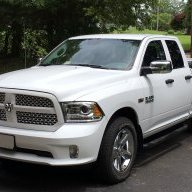
Here you go.
a> What year/trim is your truck?
2016 Express
b> What year/trim did your cluster come from?
2015 Bighorn
c> Are you able to change the splash screen with AlphaOBD?
Yes
d> Who did your reprogramming?
No one. Waited for mileage match and documented.
Sent from my iPhone using Tapatalk
a> What year/trim is your truck?
2016 Express
b> What year/trim did your cluster come from?
2015 Bighorn
c> Are you able to change the splash screen with AlphaOBD?
Yes
d> Who did your reprogramming?
No one. Waited for mileage match and documented.
Sent from my iPhone using Tapatalk
Lawsuit11
Senior Member
- Joined
- Sep 10, 2018
- Posts
- 819
- Reaction score
- 685
- Location
- Westland, MI
- Ram Year
- 2018 1500
- Engine
- Hemi 5.7
I’m going to get a locksmith to program the keys and get the code from him to see if it matches.
2018 Black Pearl Ram 1500
LED Tail Lights, Black 4 Quad Halogens with HID conversion, LED Black 3rd Break Light, Blacked Out Emblems, 8.4 UAQ conversion!
2018 Black Pearl Ram 1500
LED Tail Lights, Black 4 Quad Halogens with HID conversion, LED Black 3rd Break Light, Blacked Out Emblems, 8.4 UAQ conversion!
Similar threads


- Replies
- 0
- Views
- 85


Staff online
-
 G-Ride990Administrator
Members online
- mdc1990zr1
- GeauxinUp
- atreides
- toddc23
- dgrinstead44
- Gemeni06
- BossHogg
- noraa73
- Turbo67
- mtofell
- G-Ride990
- 2003F350
- stevenmicheal
- Black-Wolf
- er45rt
- sawz
- Aff3710
- brisuperfly
- 16WhiteQC
- Fatbob Frank
- DoughRat19
- Ziggy13
- British Bulldog
- hunterdan
- Badger 13
- EODguy09
- speeding_infrac
- Mike R
- olyelr
- spacex
- TNTNT
- cityboy21
- Jsil5484
- Bobthet
- seems fishy
- smoothee
- oe542bob
- MCas86
- EViS
- Fabman
- Hwcummings
- jabartram
- NJ4X4
Total: 3,044 (members: 49, guests: 2,995)
Robots: 1,789
Robots: 1,789